
Florist Shop Name Generator
Describe your flower shop, pick a niche and a name style, and get eight name ideas with taglines. Included with free Lite accounts.
Your shop name ends up on the sign, the website, the packaging and every Instagram post, and it is hard to change once you have opened. Describe your shop, pick a niche and a name style, and this tool gives you eight brandable name ideas in seconds, each with a tagline. You need a free Lite account to use it. Each generation counts towards your weekly AI request allowance.
What It Does
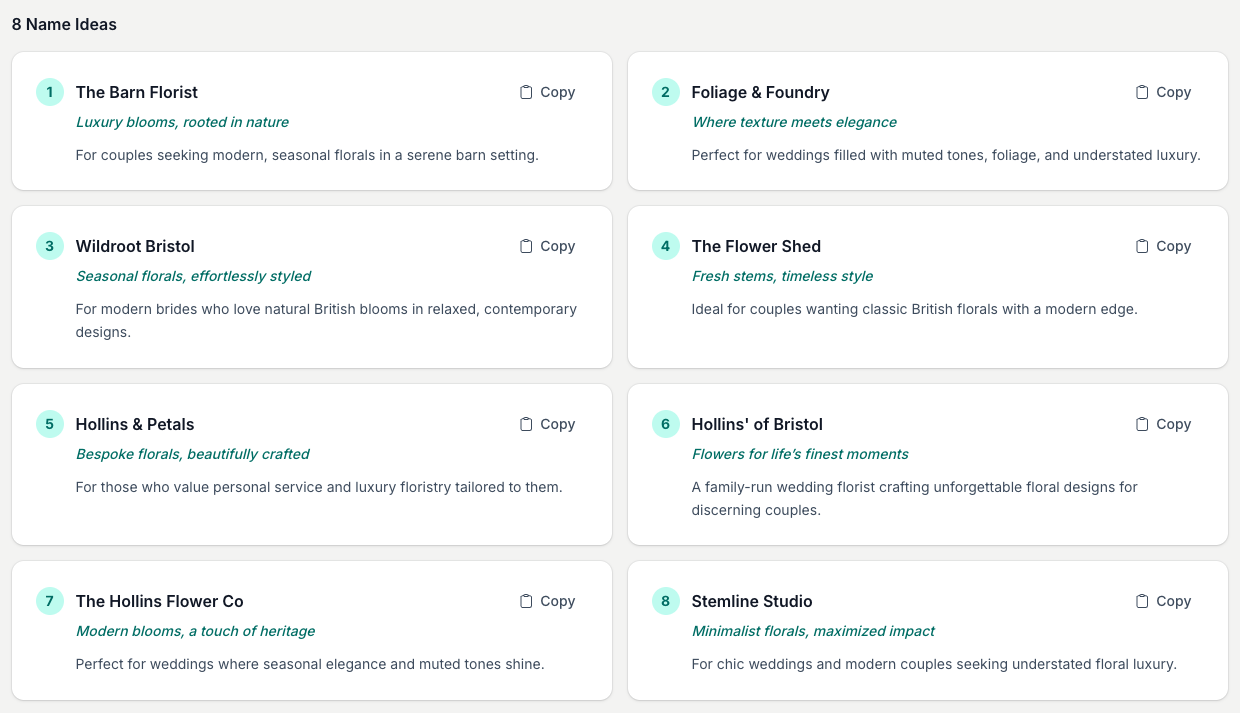
You write a short brief about your shop, choose a shop type and a name style, and the tool returns eight distinct name ideas. Each idea comes with a tagline (a short slogan) and a one-line note on who the brand suits. The names use familiar florist naming patterns: ampersands, possessives, a "The" prefix, a nod to your town, or a single strong word. Put a surname in your brief and several of the names will build on it. Each set uses one request from your weekly AI allowance and is saved to your Generation History below the tool. The names are AI-generated suggestions, so check the domain and your local business register before you commit to one.
How To Use It
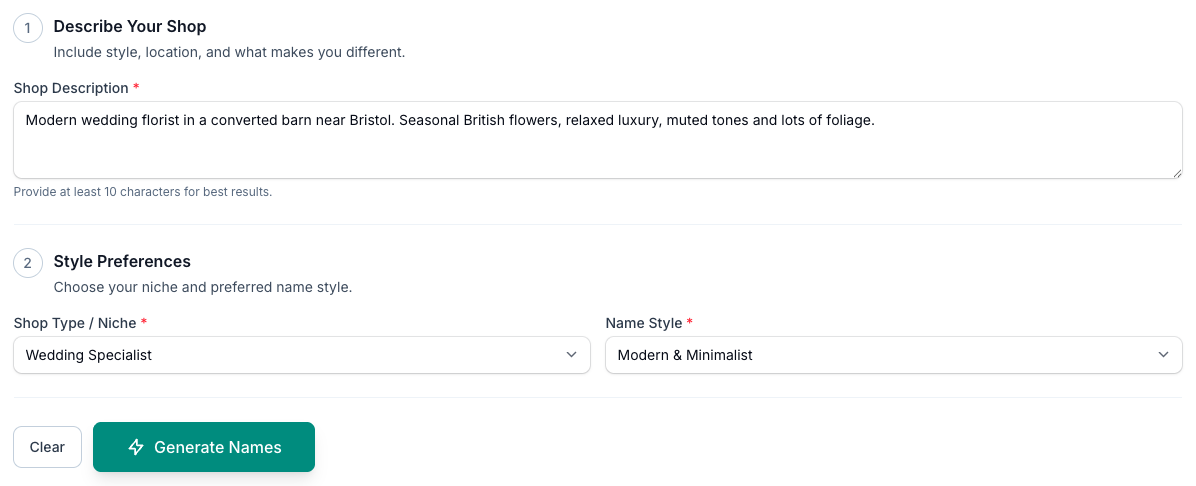
- Describe your shop. In Shop Description, write a few sentences on your style, your town and what makes you different. Give it at least 10 characters; the more specific you are, the sharper the names.
- Pick your Shop Type / Niche. Choose from High Street Shop, Wedding Specialist, Event & Installation, Online / Delivery-First, Luxury Studio, Eco & Sustainable, Subscription Service, Sympathy & Funeral, Corporate & Office, Family-Run Florist or Farm Shop / Rural.
- Choose a Name Style. Pick Modern & Minimalist, Classic & Traditional, Whimsical & Playful, Luxury & Premium or Botanical & Garden-Inspired. It opens on Modern & Minimalist.
- Tap Generate Names.
Your Generation History
Every set you generate is saved to Generation History, the strip below the tool. It stays collapsed until you have generated at least one set, so tap it to open it. Each entry shows the shop type and name style, how many names it returned and how long ago you ran it. Your written brief is not used as the history label.

- Tap View to load an earlier set back onto the page.
- Tap the star to favourite a set you want to keep to hand.
- Tap the bin to delete one you are done with.
Tips And Best Practices
- Check the domain and your local business register before you fall for a name. The tool suggests names; it does not check whether they are free to register or trade under where you live.
- Say it out loud. If a name is hard to spell or pronounce, customers cannot search it or recommend it. That is the phone test: could someone pass it on without spelling it out?
- Keep it short. A shorter name sits better on the sign, the packaging and the labels, where space is tight.
- Grab the handles early. Check Instagram and Facebook for the matching name before you settle, so your brand reads the same everywhere.
- Pick something that lasts. Steer clear of a name tied to a passing trend; choose one that still fits in five years.
- Steer the results. Put your town or a family surname in the brief and several of the names will use it. A tighter brief gives you names closer to what you had in mind.
- Name the range too. Once the shop has a name, use the Bouquet Name Generator to name your bouquets, and keep the master list of names, flowers and prices in your Digital Florists product database.
Common Questions
How many names does it generate? Eight per run, each with a tagline and a short description. Each run uses one request from your weekly AI allowance.
Can I include a word, surname or idea I already have? Yes. Put it in the Shop Description. A surname gets woven into several of the names, and a place name or a key word steers the rest.
Does it work for market stalls and online-only businesses? Yes. Pick Online / Delivery-First or Farm Shop / Rural, and describe your setup in the brief. The suggestions adapt to fit.
Can I see names I generated earlier? Yes. Open Generation History below the tool and tap View on any set to load it back. The star favourites a set and the bin deletes one.
Are the names free to use and available as domains? Generating names is included with free Lite accounts, within your weekly AI request allowance. The tool does not check domains or trading names, so check the domain and your local business register before you commit to a name.
Keep reading
Try it in your own toolbox
Create a free Florist Toolbox account to use the tool this guide covers, no card needed.
Create your free account