
Sickness Cost Calculator
Work out what a staff absence really costs, including sick pay, employer on-costs, cover and lost productivity, for the UK and Ireland.
A sick day costs more than the sick pay. This tool puts a real figure on a staff absence, so your cover, hiring and pricing decisions run on numbers instead of gut feel.
What It Does
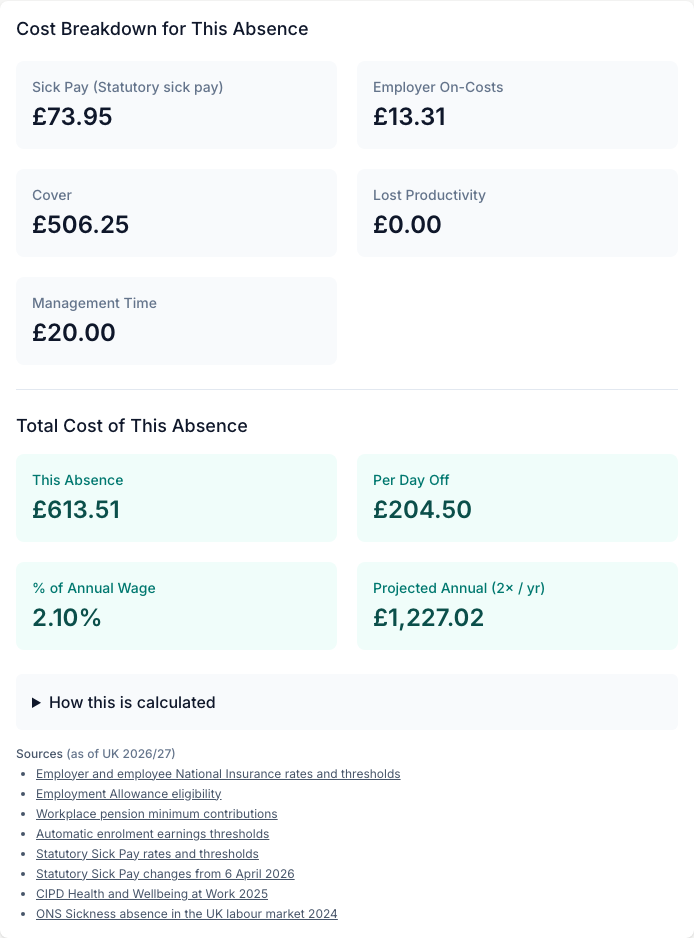
Enter the details of one absence and the calculator adds up five costs: the sick pay you hand over, the employer on-costs that keep running on it, the cost of covering the shift, lost productivity on any day you did not cover, and the management time spent rearranging the rota. It shows four figures: the total cost of this absence, the cost per day off, the cost as a share of the annual wage, and a projected annual cost from your typical number of absences a year.
It works for the United Kingdom, Ireland and Other for anywhere else. UK figures follow Statutory Sick Pay, Ireland follows statutory sick leave, and Other lets you type your own employer on-cost rate. Every statutory default is editable, so you can switch to full pay or your own contractual sick pay percentage.
The Short Version
- Pick your country so the currency and statutory rules match where you are.
- Enter the wage and the absence, and choose what you pay while they are off.
- Say how you covered it and for how many days.
- Read the true cost, per absence and per year.
The rest of this guide walks through each step.
Pick Your Country
Choose United Kingdom, Ireland or Other at the top. This sets the currency symbol and the statutory rules for the rest of the form.
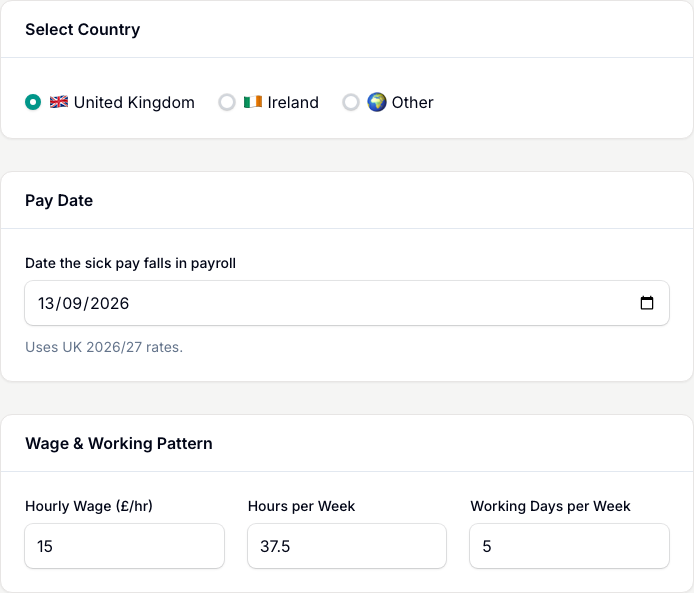
- United Kingdom and Ireland show a Pay Date field. The calculator uses the statutory rules in force on that date and shows the source period underneath.
- Other hides the statutory option and adds an Employer on-cost rate (%) box, so florists outside the UK and Ireland can type their own rate.
Enter The Wage And Absence
Under Wage & Working Pattern, set the Hourly Wage, Hours per Week and Working Days per Week. These pre-fill from the country defaults, so most of the time you only change the wage.
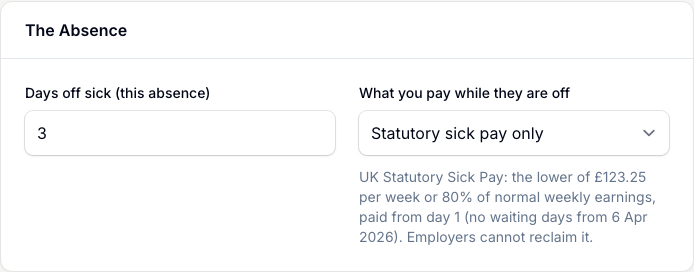
Then under The Absence, type Days off sick (this absence) and pick What you pay while they are off:
- Statutory sick pay only. The legal minimum for the country you picked.
- Full normal pay. You keep paying their usual wage for every day off.
- Custom company sick pay (%). Your own contractual rate. This reveals a percentage box.
Say How You Covered It
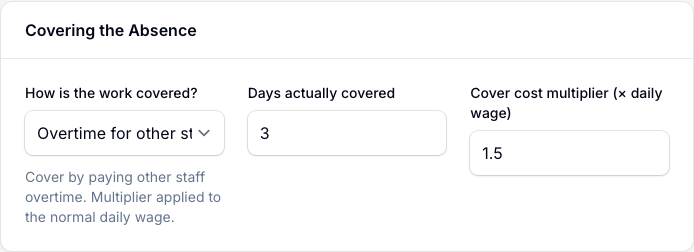
Under Covering the Absence, pick How is the work covered?:
- Overtime for other staff, with a default cover cost multiplier of 1.5 times the daily wage.
- Agency / temp cover, with a default multiplier of 1.4.
- Not covered, where nobody stepped in.
Set Days actually covered and the Cover cost multiplier to match what you actually pay.
Set The Indirect Costs
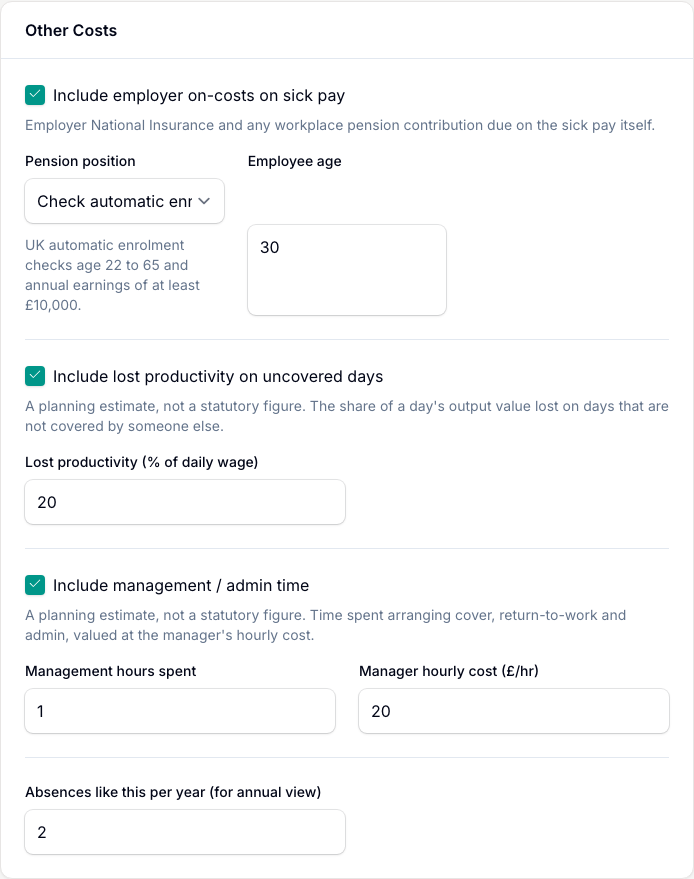
The Other Costs section holds three tick boxes, each with its own inputs:
- Include employer on-costs on sick pay. Employer NI and pension in the UK, PRSI and pension in Ireland, or your own Employer on-cost rate (%) for Other.
- Include lost productivity on uncovered days. The share of a day's output value lost when nobody covers, defaulting to 20%.
- Include management / admin time. The hours spent arranging cover and return-to-work, valued at the Manager hourly cost (pre-filled at about 1.5 times the wage).
Read Your Result
Tap Calculate Sickness Cost. The results appear in two rows.
First, Cost Breakdown for This Absence shows five category cards: Sick Pay (with your policy named on it), Employer On-Costs, Cover, Lost Productivity and Management Time. Then Total Cost of This Absence gives four headline cards: This Absence, Per Day Off, % of Annual Wage, and Projected Annual with your absences-a-year count on it.
Acting On The Number
The figure worth acting on is Projected Annual. That is roughly what absences cost your shop over a year, and it belongs in your overheads.
- Feed it into the Operating Cost Calculator so your prices carry the true cost of absence.
- Set your markup from your own overheads, not the shop down the road. Their rent and wage bill tell you nothing about what you need to charge.
- Compare cover options before peak, not during it. Run it once with Overtime and once with Agency / temp cover so you know the cheaper route before Valentine's or Mother's Day, not on the day.
Save Your Calculation
Save this calculation so you can return to its inputs and results.
- Tap Save calculation after calculating your result.
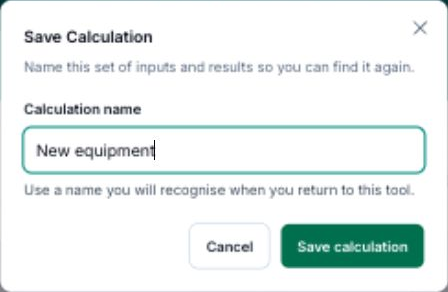
- Enter a Calculation name you will recognise.
- Tap Save calculation to keep it.
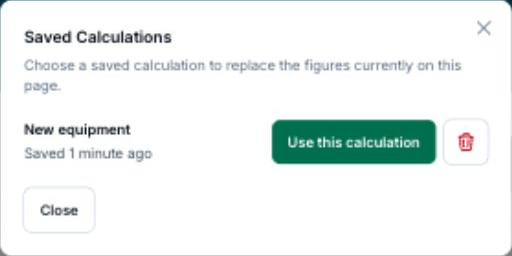
To reopen saved work, tap View saved, then Use this calculation beside its name.
After loading a calculation, Save as new keeps a separate copy.
Tips And Best Practices
- Use your real cover costs. The 1.5x overtime and 1.4x agency multipliers are typical starting points. Replace them with what you actually pay.
- Feed the annual figure into your overheads. Roll the projected cost into the Operating Cost Calculator so it lands in every price.
- Compare overtime against agency before peak. Knowing the cheaper cover in advance beats deciding it mid-rush.
- Check the statutory defaults each April. Rates change every tax year. The tool keeps them current, but your own policy figures are yours to maintain.
- Not in the UK or Ireland? Choose Other. Type your own employer on-cost rate and price the absence in your own currency.
- Cost a full hire next. Use the True Cost of Employment Calculator to weigh the cost of absence against bringing in extra part-time cover.
Common Questions
Which countries does it support? The United Kingdom, Ireland, and Other for anywhere else. UK uses Statutory Sick Pay, Ireland uses statutory sick leave, and Other lets you enter your own employer on-cost rate and price in your own currency.
What costs are included? Five: the sick pay you pay out, employer on-costs on that sick pay, the cost of covering the shift, lost productivity on uncovered days, and management or admin time.
Can I see the cost over a year? Yes. Set Absences like this per year and the Projected Annual card multiplies a typical absence by that count.
Can I use my own sick pay policy? Yes. Pick Full normal pay or Custom company sick pay (%) to override the statutory default with what you actually pay.
Where do the default figures come from? The statutory rates come from gov.uk and gov.ie, and the indirect defaults are planning estimates informed by CIPD and ONS, all editable and all listed under Sources. They are the mechanics the tool runs, so hand any tax or legal call to your accountant.
Keep reading
Try it in your own toolbox
Create a free Florist Toolbox account to get started. The tool this guide covers is part of the Plus plan.
Create your free account