Why Florists End Up With Dozens Of Town Pages
Most florists who have town pages did not sit down and write them. Someone suggested "a page for every village you deliver to" for Google, and the quickest way to make 40 of them is to write one and change the name each time. Some website setups make them for you from your delivery list.
The trouble is that a customer learns nothing from these pages that your delivery page could not tell them. For most shops, one clear delivery page does more work than a folder of near-identical town pages. A handful of town pages can still help, but only where you have something real to say about that town.
What Goes Wrong With Copy-And-Paste Town Pages
A typical copied town page reads something like "Looking for flower delivery in Anytown? We are your local Anytown florist, delivering beautiful bouquets across Anytown every day." Swap Anytown for the next village and you have the next page.
Google's spam policies describe doorway abuse: pages made to capture similar searches and funnel visitors towards the same destination. Near-identical town pages can fit that pattern. Repeated wording alone does not establish a policy violation, and a useful local page is not automatically a doorway page.
The same policies say sites that break them may rank lower in results or not appear in results at all, and that a human review can lead to a manual action against the site. Nobody outside Google can predict what will happen to a particular shop's site, so we won't try. Some copied town pages we have seen carry no local detail at all, and a few have quietly broken. A sitemap lists a page that now answers "page not found", or a link on the delivery page leads nowhere.
Customers lose out too. Someone ordering sympathy flowers for a funeral in the next village wants three answers: do you deliver there, what does it cost, and will it arrive in time. A copied page answers the first question and skips the other two.
What To Put On Your Delivery Page Instead
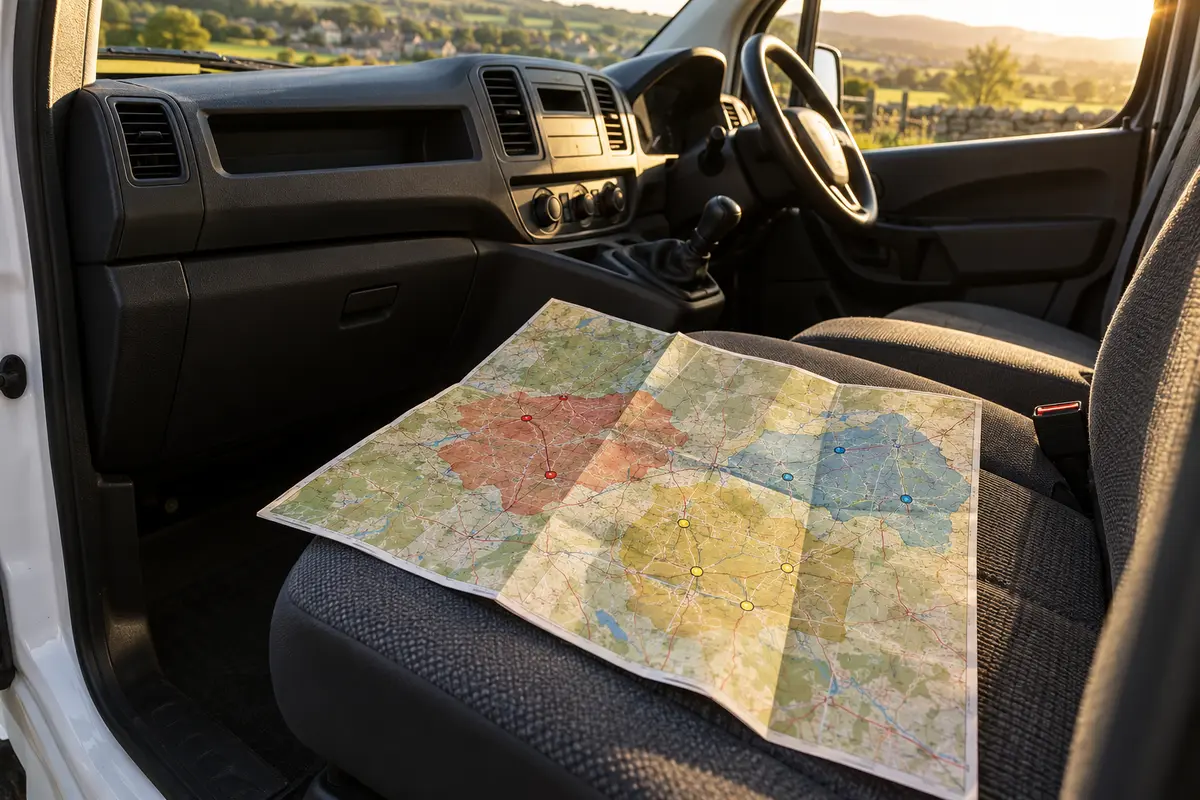
Many customers check your delivery page before they choose a bouquet. Make it the place that answers the delivery questions they ask most, typed as text so customers and Google can both read it. A picture of a map or a scanned price sheet can't be searched for a village name.
The Places You Deliver To
List the towns, villages and postcode areas you cover. Group them if the list is long. A short line such as "We deliver to the AB1 and AB2 postcode areas" (example postcodes) is clear, and so is a radius, but a typed list of names is what a customer scrolling for their mum's village needs.
If you cover a city, name the districts or postcode areas. If you are rural, name the outlying villages and say which ones need an extra charge or a different delivery day.
Your Charges, By Area
Put your delivery charges on the page as text, so customers see them before they reach checkout. Baymard Institute's research lists high extra costs and not seeing the total early among reasons US shoppers abandon checkout.
Zones are the easiest way to set this out. Here is an illustrative example for a fictional UK shop; the places and prices are made up to show the layout, so set your own from your real costs:
| Zone | Places | Charge |
|---|---|---|
| Zone 1 | Town centre, Anytown East, Eastbrook | £6.00 |
| Zone 2 | Marsham, Little Hadley, Upper Cross | £8.50 |
| Zone 3 | Kingsford, Wells End, Ashby Green | £11.00 |
| Further afield | Please call before ordering | Quoted |
Work out each charge from what a delivery costs you, not from what the shop down the road charges. Our guide to whether flower delivery is profitable walks through the cost of a single drop, and the Delivery Profitability Calculator runs the same sums with your own fuel, time and van costs.
Your Order-By Times
Say when a customer needs to order for same-day delivery, and when for next day. "Order by 1pm Monday to Friday and 11am on Saturday for same-day delivery" answers the question before anyone has to phone. If your peak days work differently (Valentine's, Mother's Day), say so on the page in the run-up and take it down afterwards. If customers can collect from the shop, give your collection hours here too.
Funeral Directors And Crematoria You Deliver To
A family may only know the funeral director's name from the notice. Naming the places you serve helps them check whether you can deliver. If your funeral flowers page or delivery page says "We regularly deliver to Anytown Funeral Directors, Example Vale Crematorium and the chapel at St Mary's", that family can see straight away that you have done it before.
Keep the wording honest. "We regularly deliver to" is true if you do. Don't describe yourself as a funeral director's approved or recommended florist unless they have agreed to it, and if you are unsure what you can say, ask them. In Ireland, say funeral homes. One short section on the page is enough; there is no need for a page per venue. For the customer side of sympathy orders, our sympathy and funeral flower etiquette guide covers what families usually send and when.
Hospitals, With A Line About Ward Rules
If you deliver to hospitals, say which ones, and add one line asking customers to check with the ward first. Many hospitals don't allow flowers on wards, and the rules vary by hospital and by ward. Say what you do if the flowers are refused at the door. You might bring them back to the shop, or redirect them to the patient's home. That one line can save you a wasted delivery run, and save the customer an upsetting phone call.
A Worked Example: Cutting 30 Town Pages Down To One Delivery Page And A Few Good Ones
Take a fictional shop with 30 town pages, each about 400 words, all reading the same apart from the town name. Its delivery page says "We deliver locally, call for details."
A rewrite might look like this:
- Build the delivery page first: the zone table above, the order-by times, the funeral directors and crematoria, the hospital line, and your collection hours.
- Look at where your orders come from. Your order history or delivery sheets will show which two or three towns bring in the most work. Ask your website provider which town pages get visits from Google too (Google Search Console shows this).
- Keep pages that bring useful search visits, enquiries or orders. Improve their local detail before considering removal.
- Link those pages from the delivery page, next to their names in the list.
- Review the remaining pages with your website provider using their visits, links and orders. If you agree to remove one, redirect its old address to the closest useful replacement and remove it from the sitemap.
The shop ends up with one page that answers the delivery questions customers ask most, and a few town pages that each say something new. Your website provider can handle the redirects and the sitemap for you.
When A Town Page Is Worth Writing
A town page is worth having when it tells a customer something your delivery list can't. Before writing one, ask whether you could fill it with facts that are only true for that town:
- Your charge and order-by time there, if they differ from your main area.
- The funeral directors, crematoria, churches and hospitals there that you deliver to regularly.
- Wedding and event venues you have worked at in that town, with your own photographs of real work there.
- Delivery days, if you only run out to that town on certain days.
If you can write a few genuine lines under three or four of those, the page is worth having. If the only thing that changes from page to page is the town name, leave that town in the delivery page list.
A rough rule: towns that bring you a steady share of orders, or that are big enough that people search for flower delivery there by name, are the ones to consider. Small villages are usually best served by the list. For many small shops, two or three good town pages are enough, and some manage with none.
Write each one in your own words and link it from the delivery page. If a town page still shows last year's delivery charge, a customer may order expecting the old price, so update it whenever your charges or cut-off times change.
How The Florist Website Checker Looks At This
Our Florist Website Checker reads your pages and checks the things customers and Google look for. The free quick check looks at your homepage. Once you confirm the site is yours, the full report goes further, and several of its checks cover the ground in this guide. These results come from reading and measuring your pages:
- Where you deliver. It looks for a typed list of towns or postcode areas, a delivery radius, a postcode checker, or wording such as "we deliver as far as". If your delivery areas are in a picture, it says so, because customers can't search a picture.
- Delivery charges and order-by times. It checks whether a customer can see your delivery charge before they start typing their details (on the product page, your delivery page or the basket), and whether you show a same-day order-by time.
- Town pages that don't open. It opens a few of your town pages, and sometimes one only your sitemap lists, and tells you if any answer "page not found" or an error.
- Town pages that read the same. It compares the wording of the town pages it opened with the town names taken out, and tells you if they are near copies. This is a note, not a mark against your score, because some of these pages still bring in the odd order.
- Town pages hidden from Google, or only in your sitemap. If every town page it opened is set to stay out of Google, or your sitemap lists town pages that none of the pages it read links to, it notes that. The setting may be on purpose.
- Funeral directors and hospitals. It notes whether your funeral page names the funeral directors or crematoria you deliver to, and whether your hospital delivery wording mentions ward rules. Both are notes, not scored.
The checker does not ask you to make more town pages. If your delivery page lists your places as text, it says that is what most customers look for, and suggests a separate page only for a main town where you have something extra to say.
Separately, an AI reads some of your pages for a second opinion on things like your logo, photos and wording. Those notes are labelled as AI in the report and kept apart from the measured results. The number of AI notes kept is capped, and in most cases they carry less weight in your score than the measured checks.
Don't Forget Your Google Business Profile
Your delivery page and your Google Business Profile should agree. If you deliver from a shop, your profile can list the areas you serve alongside your address. Use the same main towns as your delivery page, and keep your opening hours and phone number matching. Reviews matter here too; our guide to getting more Google reviews for your flower shop covers how to ask for them. If you use Digital Florists, it can send review requests to past customers automatically.
Common Questions
Do florists need a page for every town they deliver to?
No. Most customers want to see their village named in a list on your delivery page, with the charge and the order-by time. A separate page only helps for a main town where you have something extra to say, such as the funeral directors and venues you deliver to there.
Will copied town pages get my site penalised?
Near-identical town pages can fall under Google's doorway-abuse policy when their purpose is to capture similar searches and funnel visitors elsewhere. Sites that break the policies may rank lower or drop out of results, and Google can apply a manual action after a human review. Nobody can predict what will happen to a particular site, but copied pages carry that risk and do little to help a customer decide to order.
Should I delete all my town pages at once?
No. Review each page's search visits, links and orders with your website provider first. Improve useful pages. If you agree to remove a page, redirect its address to the closest useful replacement and take it out of the sitemap.
What should a florist delivery page include?
The towns and postcode areas you cover, typed as text, your delivery charges by area, your same-day and next-day order-by times, the funeral directors, crematoria and hospitals you deliver to, a line about hospital ward rules, and your collection hours.
How do I check whether my town pages are copies of each other?
Open two of them side by side and read them with the town names covered. If the rest is word for word the same, they are copies. The full report from the Florist Website Checker does this comparison for a few of your town pages and tells you what it found.