Use this in Arrangement Calculator
Create your account and jump straight into Arrangement Calculator when you are ready to apply this article.
Start with the phone you already have. Photograph a finished arrangement, then check the detail and colour at the size you intend to publish. Lighting, framing and editing are worth testing before buying equipment; print requirements depend on the image and print size.
This guide is for florists who want better photos without buying a camera, booking a photographer, or losing an evening to editing.
Lighting
Compare the arrangement under different lighting before choosing where to shoot.
Try Soft Window Light
Stand your arrangement near the biggest window in the shop or workroom. What you want is soft daylight coming in from one side. Direct sun throws hard shadows and can lose detail in bright petals, so when the sun is streaming in, soften it: a sheer curtain, a sheet of greaseproof paper taped to the glass, or wait for a cloud to pass.
Overcast days are the ones you want. Compare the softer shadows under cloud cover with those in direct sunlight. If sunny days are all you get, shoot in the shade or use a north-facing window.
The Reflector Trick
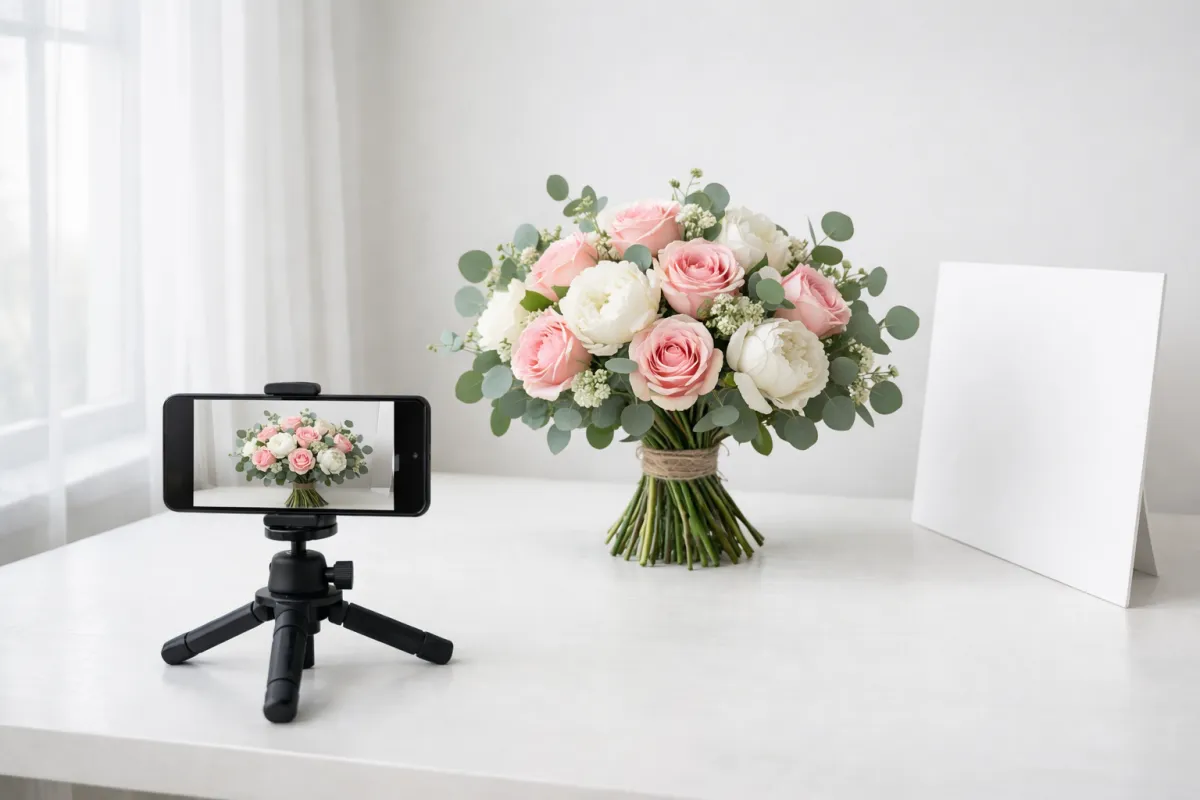
Stand a piece of white A2 card or white foam board opposite your light. It bounces light back into the shadow side of the arrangement, can lighten that side without adding another lamp.
Tin foil wrapped round cardboard does the job too, though the fill is a touch harder and more directional. Compare the reflected light from white card and foil in your own setup.
Try clean white card you already have before buying a reflector.
Avoid Shop Lighting for Photos
Different light sources can produce different colour casts. Compare a shot with the shop lights on and one using the window light alone before deciding what looks closer to the real flowers.
If window light is not available, test a photographic light with adjustable output. Check flower colours in the resulting photo; a colour-temperature setting alone does not guarantee an accurate result.
Backgrounds and Staging
What Works
Solid colours let the flowers do the talking. White is clean. Grey or charcoal reads sophisticated. Black brings drama to light-coloured blooms. Muted sage, dusty pink or cream give a lifestyle feel without fighting the arrangement.
Textured surfaces add warmth. Weathered wood suits garden-style work. Marble or stone reads as luxury. Linen looks lovely under a flat lay.
DIY options on a budget:
- Large sheets of matt coloured card
- A sheet of MDF painted in a matte finish (gloss throws reflections)
- A clean bedsheet draped over a table
What to Avoid
Busy patterned surfaces, shiny or reflective tables, bright coloured walls, and clutter in the background. If the counter is a mess, lay a clean surface over the top before you shoot.
Props
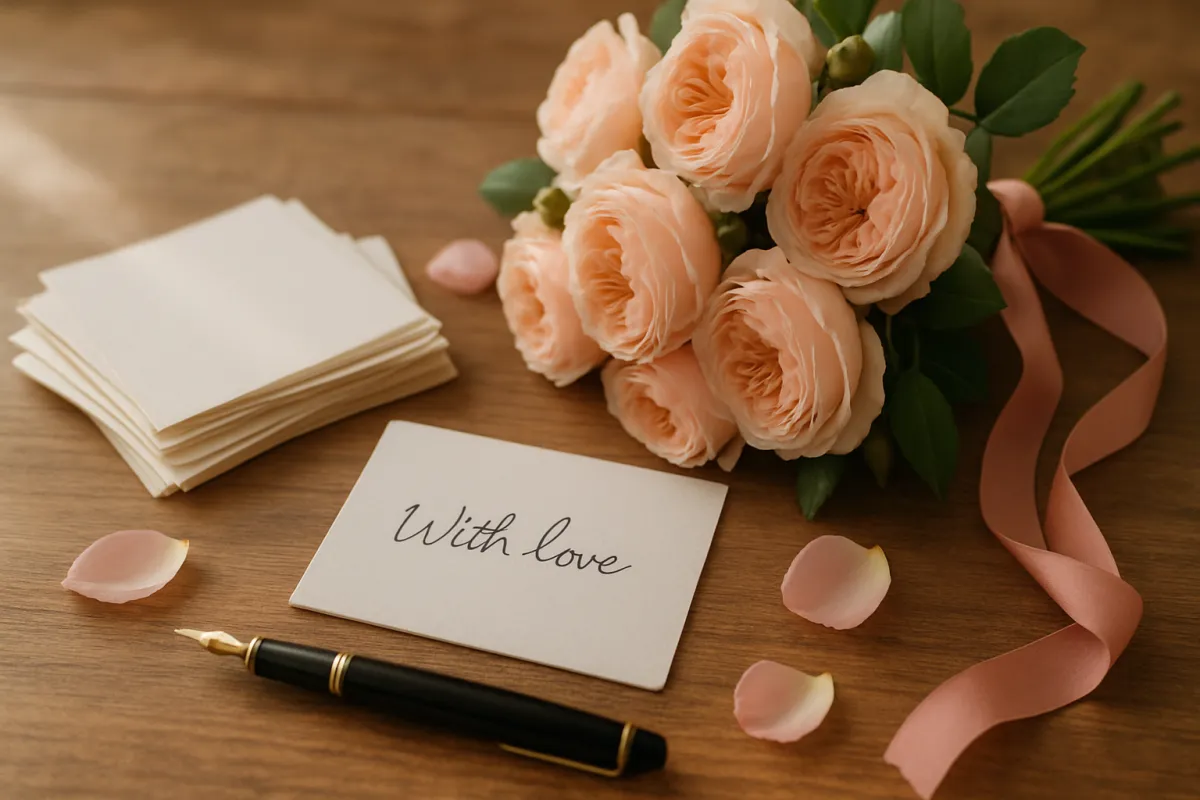
Keep them light. Ribbon, twine, a pair of nice scissors, a handwritten gift tag, or your branded tissue can add a bit of context. Seasonal touches (pine cones in winter, citrus slices in summer) work in small doses. Props should sit behind the flowers, never compete with them.
AI Backgrounds: Use With Caution
If you want a cleaner backdrop or a styled scene you cannot stage in the shop, AI tools like Google Gemini or ChatGPT can drop your arrangement onto a new background or set a scene around it. Used well, it saves you building a flat lay from scratch.
One rule: triple-check every output, and reject anything where the flowers themselves look fake. AI is fine for the background and the surroundings. It is not fine for the blooms. You photograph real flowers every day, and so does your customer, so a plastic-looking petal or an impossible stem is spotted in a second and it costs you trust. Keep the real flowers real and only let AI handle what sits behind them.
Composition
Rule of Thirds
Turn on the grid overlay in your camera settings. Apple documents the Grid setting for iPhone. Put the focal point of the arrangement on one of the four points where the lines cross, rather than dead centre. Compare it with a centred version and keep the framing that shows this arrangement clearly.
Breaking the rule works too. A centred composition suits a single, perfectly symmetrical bloom shot head-on, like a dahlia or a sunflower.
Angles
45 degrees is the angle you will reach for most. It shows the top and the side of an arrangement at once, much like a customer sees the flowers across the counter. Make it your default.
Overhead (90 degrees) suits flat lays, wreaths, table centrepieces and flower crowns. Use the grid overlay to keep the frame square.
Eye level brings drama to tall arrangements and single stems. Get down to the level of the flowers instead of pointing the phone down at them.
Negative Space
Leave a bit of empty space around the arrangement. It pulls the eye to the flowers, looks considered, and gives you room to drop text over the top if you need it (an Instagram announcement, a price, a quote).
Detail Shots
Always grab a full arrangement shot and a few close-ups: a single bloom, the ribbon tie, a dewdrop on a petal, the layered folds of a garden rose. Use them as carousel slides on Instagram. This shows details that are hard to see in the full arrangement photo.
Editing
Start with the editing tools you have. These apps offer options to compare; check which features are included before paying.
Snapseed (Free)
Snapseed is free, with editing tools and filters and no ads or in-app purchases. The tools and layout vary by app version.
Editing checks: straighten the photo, check exposure and compare the colours with the real flowers. Remove a mark on the backdrop if needed, but do not edit damaged flowers into a product you cannot supply. Export a copy and keep the original.
Lightroom Mobile (Free, With a Premium Option)
Lightroom offers presets, which apply a saved set of edits to another photo. The free version handles the basics. Paid plans add premium features. Check Adobe’s current Lightroom plans for the features, price and billing term before subscribing.
Using presets: save a set of edits that suits one photo, then try it on another. Recheck flower colours and exposure each time; different lighting may need different adjustments.
VSCO (Free Core, Paid Options)
VSCO offers film-style presets. Some require a paid membership; check the current VSCO membership options for the features and terms available to you. Keep a copy of the original photo to check that the preset has not changed the flower colours.
Colour Accuracy
Flower colours are notoriously hard to capture on a phone.
Common Problems and Fixes
| What you see | What to check |
|---|---|
| Red or purple flowers look different from the real ones | Check exposure and white balance before changing individual colours. Compare the result with the flowers. |
| White petals have no visible detail | Try a darker exposure and check the bright areas before taking the final shot. |
| The whole image has an orange or blue cast | Compare lighting sources and review white balance. |
| A filter changes the flower colour | Remove or reduce it rather than publishing a misleading product photo. |
White Balance
A neutral reference card photographed under the same light can help when setting white balance. Adobe explains how light sources and white balance affect colour. Keep the original, compare edits with the real flowers and recheck when the light changes. A preset or automatic setting is a starting point, not a promise of exact colour on every screen.
Instagram Tips
Image Dimensions
Check the crop and upload requirements in Instagram when preparing your post. Keep the full-resolution original so you can export a different crop later.
- For a single arrangement, compare a portrait crop with a square crop.
- For a carousel, preview every slide so heads, wrapping and labels remain visible.
- For a vertical video, leave clear space around important text and check it in the posting preview.
Preview the profile crop as well as the post itself before publishing.
Content To Try
Time-lapse arrangement videos (Reels): stand the phone on a tripod, press record, and work as you normally would. Speed it up to 15 to 30 seconds. Check whether viewers follow through to enquiries, rather than judging it on views alone.
Before and after carousels: slide 1 shows the raw stems on the table. Slides 2 and 3 show the work in progress. Slide 4 shows the finished piece. This gives viewers a sequence from materials to finished design.
Arrangement breakdowns: name every flower and bit of foliage with text labels or a slide each. Use labels that are readable on a phone.
Behind the scenes: the early market run, the workroom after a wedding prep day, packing the delivery run. Keep customer names, delivery labels and other private details out of the frame.
Posting Frequency
Choose a posting schedule you can maintain through peak season. Measure the time spent and the enquiries received before adding more posts.
Hashtags
Use a small set of relevant hashtags within the limit shown by Instagram when you post. Choose tags that describe the flowers and location:
- Large (for discovery): #flowers, #flowerstagram, #bouquet
- Medium (more targeted): #ukflorist, #flowerphotography, #seasonalflowers
- Local or specialist: #[yourcity]florist, #independentflorist, #britishflowers
Make a branded hashtag of your own and nudge customers to use it.
Equipment on a Budget
The following is an illustrative equipment budget, not current shop quotes. The listed ranges total £48 to £107, excluding the phone you already own:
| Item | Cost | Purpose |
|---|---|---|
| Phone tripod | £15 to £30 | Steady shots, overhead flat lays, Reels |
| Ring light (10") | £20 to £30 | An artificial-light option to test when there is no window |
| White card reflector | £0 to £2 | Bounces light into the shadows |
| Background boards | £5 to £30 | Clean, consistent backdrops |
| Clip-on macro lens | £8 to £15 | Extreme close-ups for detail shots |
You do not need a DSLR. You do not need a studio. A clear table by a window, a phone, and a piece of white card will get you further than you would think.
What To Look For In Other Florist Photos
Choose a few current florist accounts whose work is relevant to your shop. Compare one detail at a time: where the light comes from, what is behind the flowers, how accurately colours appear and which details the photograph shows.
Use this as a photography exercise. Do not copy another florist's photos or assume a large following proves that a particular technique generates orders.
Common Questions
Do I need a proper camera to take good flower photos?
Try your current phone first. Check the photograph at the intended display or print size, then improve the light and framing before deciding whether different equipment is needed.
What is the best lighting for flower photography?
Try soft window light from one side and compare it with your other lighting options. Check shadows, petal detail and colour in the resulting photo. If you use a lamp, test its position and output rather than relying on one temperature setting.
What background should I use for flower photos?
A plain, solid colour works best: white for clean, grey or charcoal for a sophisticated feel, black to make light blooms pop. Textured surfaces like weathered wood, marble or linen add warmth. Steer clear of busy patterns, shiny tables and cluttered backdrops. A clean sheet of matt card is a starting point to try.
What is the best free app for editing flower photos?
Start with the editor you have and compare the result with the real flowers. Snapseed, Lightroom and VSCO offer different tools and plans; the links above show their current options. Check edits individually rather than applying one preset to every photo.
How do I get flower colours to look accurate?
Check exposure and white balance against the real flowers. A neutral reference card under the same light can help with white balance. Avoid changing individual colours until you have checked the lighting and overall image, and recheck every edited version.
How often should a florist post on Instagram?
Choose a frequency you can maintain and review the enquiries it brings. There is no posting count that guarantees better results for every shop.
Once you have great photos, you need great product names to go with them. Our Bouquet Name Generator creates names for your arrangements, and the Flower Bouquet & Arrangement Name Ideas page has hundreds of ready-made options to browse. To keep the photos, names and prices together against each product, the Digital Florists platform stores your product database with an image for every line, so the team can find the photo alongside the product details.
Ready to apply this?
Open the florist tools that save the most time first
Start with Arrangement Calculator and move from reading to doing in one step.
Try next
More tools for this topic
Arrangement Calculator
Price individual arrangements from stem and sundry costs. Choose pre-tax markups, add labour and tax once, the...
Pricing Guide Generator
Create printable pricing guides for your team with flower markups, labour costs and sundries at every price po...
Business Markup Calculator
Turn your annual overheads, stock spend and profit goal into the one average markup your shop needs. Or start...